
Sessions and passwords
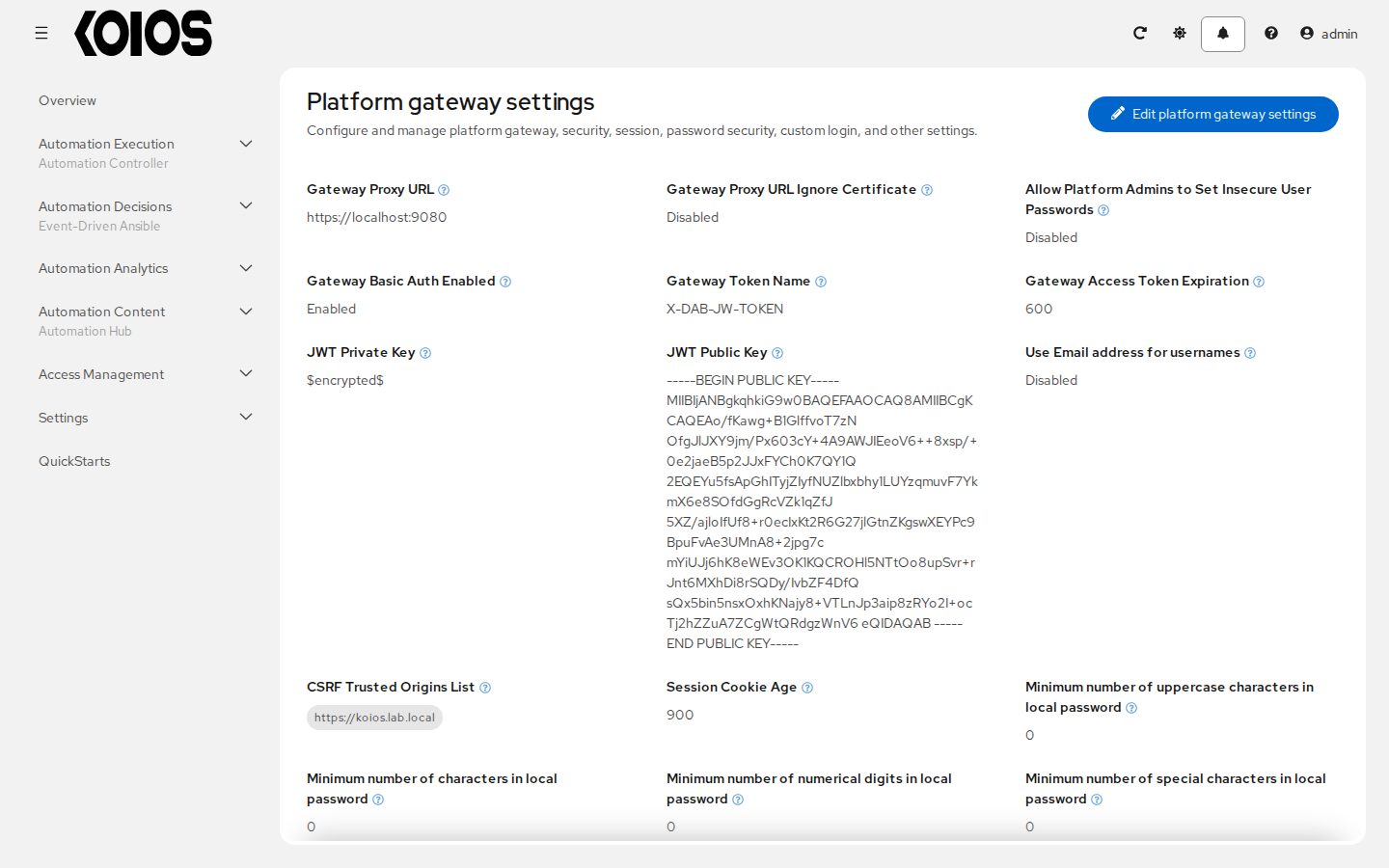
The settings that govern logins, sessions and passwords are gateway settings. They apply to the
whole platform, whichever service a user works with. Change them in Settings > Platform gateway
with Edit platform gateway settings, or through /api/gateway/v1/settings/.
Session
Session Cookie Age
: The time, in seconds, before a session expires and the user has to log in again: 900 (15
minutes) by default. The session of
a browser or API client lasts this long since it was last saved; a client can extend its own
session with a POST to /api/gateway/v1/session/, and see when it expires with a GET.
Maximum Number of Simultaneous Logged In Sessions (under Other settings)
: How many sessions a user may have at once. -1, the default, sets no limit. 0 allows one: a
new login ends the user’s other sessions. A positive number N allows N sessions besides the
first.
Password Security
Rules for the passwords of local users. Each is a minimum, and 0 (the default) turns it off:
Minimum number of characters in local password;
Minimum number of numerical digits in local password;
Minimum number of uppercase characters in local password;
Minimum number of special characters in local password.
They apply when a password is set or changed, not to existing passwords. Allow Platform Admins to Set Insecure User Passwords lets superusers save passwords that break them. Passwords of users from other authentication methods are managed by their provider.
Security
Gateway Basic Auth Enabled : Whether API clients may authenticate with a username and password (HTTP basic authentication). On by default. Turn it off to require sessions or tokens.
Login redirect override URL
: Where users who are not logged in are sent, instead of the login page. Use it to send users
straight to an SSO provider (for example, the login URL of a SAML method), so they never see the
login form. Administrators can still reach the form at https://<koios host>/login.
Use Email address for usernames : For SSO methods, use the user’s full email address as their username.
CSRF Trusted Origins List
: Additional origins accepted for requests that change data, such as https://koios.example.com.
The operator already adds the address of the platform. Add others only when users reach the
platform through a different address, for example through a load balancer or proxy that
changes the host.
The Platform gateway and remaining Security settings (token header, JWT keys, proxy URL) configure how the gateway talks to the services. The operator sets them; do not change them.
Custom Login
Custom Login Information : A text shown in the login form, such as a legal notice.
Custom logo
: An image shown on the login page, as a data: URL with a base64-encoded GIF, PNG or JPEG.
Organization administrators
Under Other settings:
Organization Admins Can Manage Users and Teams : Whether organization administrators can create and manage users and teams. Turn it off when membership comes from LDAP, SAML or another provider through mapping rules, so it is managed in one place.
All Teams and Users Visible to Organization Admins : Whether organization administrators see every user and team, or only those of their own organizations.