
5. Multi-Credential Assignment
Automation controller provides support for assigning zero or more credentials to a job template.
5.1. Important Changes
Job templates now have a single interface for credential assignment. From the API endpoint:
GET /api/controller/v2/job_templates/N/credentials/
You can associate and disassociate credentials using POST requests. The numeric credential IDs in these examples are illustrative; replace them with IDs from your platform:
POST /api/controller/v2/job_templates/N/credentials/ {"associate": true, "id": 123}
POST /api/controller/v2/job_templates/N/credentials/ {"disassociate": true, "id": 124}
Under this model, a job template is considered valid even when there are no credentials assigned to it. This model also provides users the ability to assign multiple Vault credentials to a job template.
5.2. Launch Time Considerations
Job templates have a configurable attribute, ask_credential_on_launch , when set to True, it signifies that if desired, you may specify a list of credentials at launch time to override those defined on the job template. For example:
POST /api/controller/v2/job_templates/N/launch/ {"credentials": [123, 124, 125]}
If ask_credential_on_launch is False, it signifies that custom credentials provided in the POST /api/controller/v2/job_templates/N/launch/ will be ignored.
Under this model, the only purpose for ask_credential_on_launch is to signal API clients to prompt the user for (optional) changes at launch time.
5.3. Multi-Vault Credentials
As it possible to assign multiple credentials to a job, you can specify multiple Vault credentials to decrypt when your job template runs. This functionality mirrors the support for multiple vault passwords for a playbook run in Ansible 2.4 and later.
Vault credentials now have an optional field, vault_id, which is analogous to the --vault-id argument to ansible-playbook. To run a playbook which makes use of multiple vault passwords:
Create a Vault credential in automation controller for each vault password; specify the Vault ID as a field on the credential and input the password (which will be encrypted and stored).
Assign multiple vault credentials to the job template via the new credentials endpoint:
POST /api/controller/v2/job_templates/N/credentials/

{
    "associate": true,
    "id": 123
}
Alternatively, set the Vault Identifier of the Vault credential when you create it in Automation Execution > Infrastructure > Credentials:
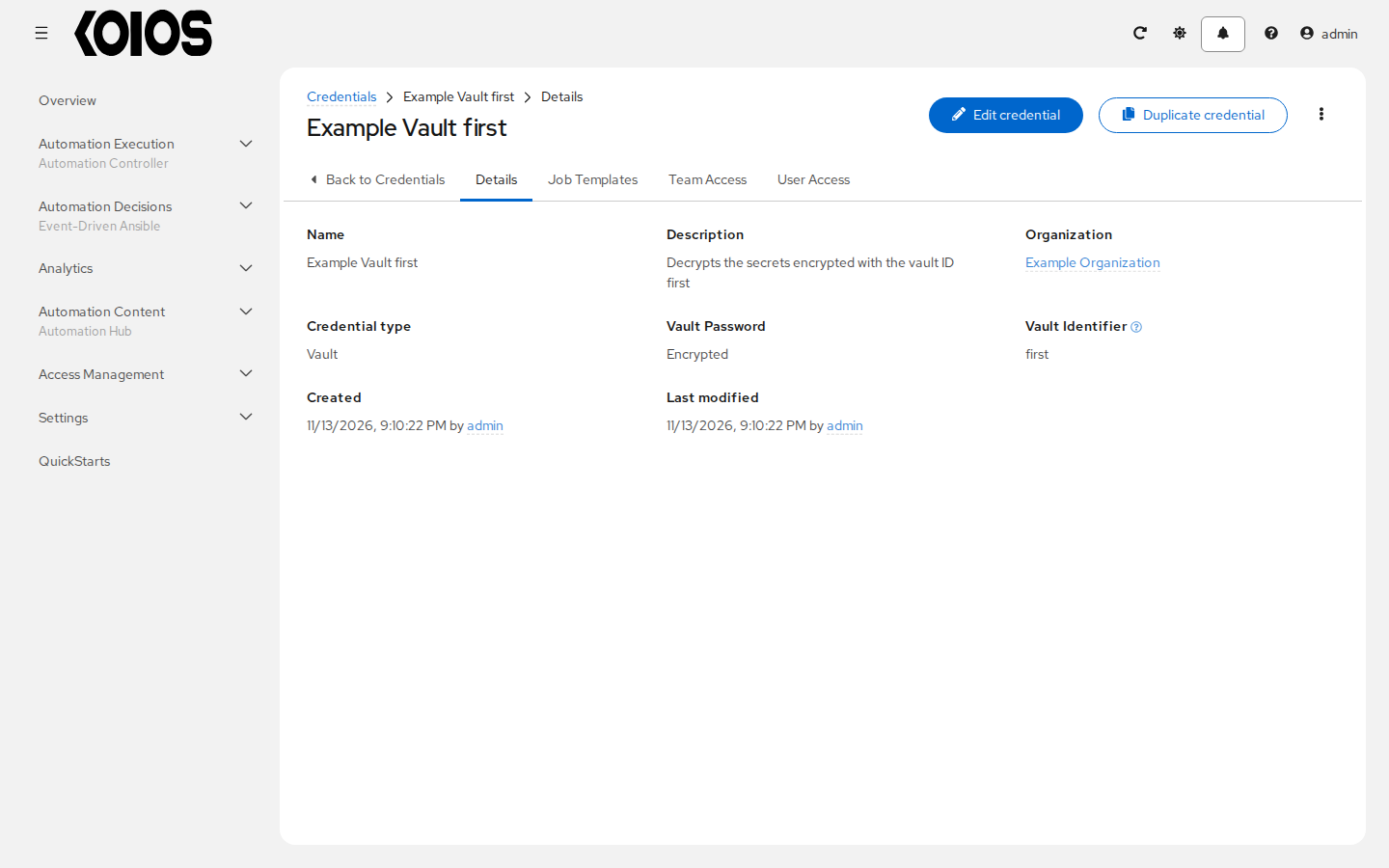
In the above example, the credential created specifies the secret to be used by its Vault Identifier (“first”) and password pair. When this credential is selected in the Credentials field of a job template, as in the example below, automation controller passes its password to Ansible with the vault ID “first”; Ansible uses the vault ID as a hint to choose the password, and may also try the other vault passwords it was given:
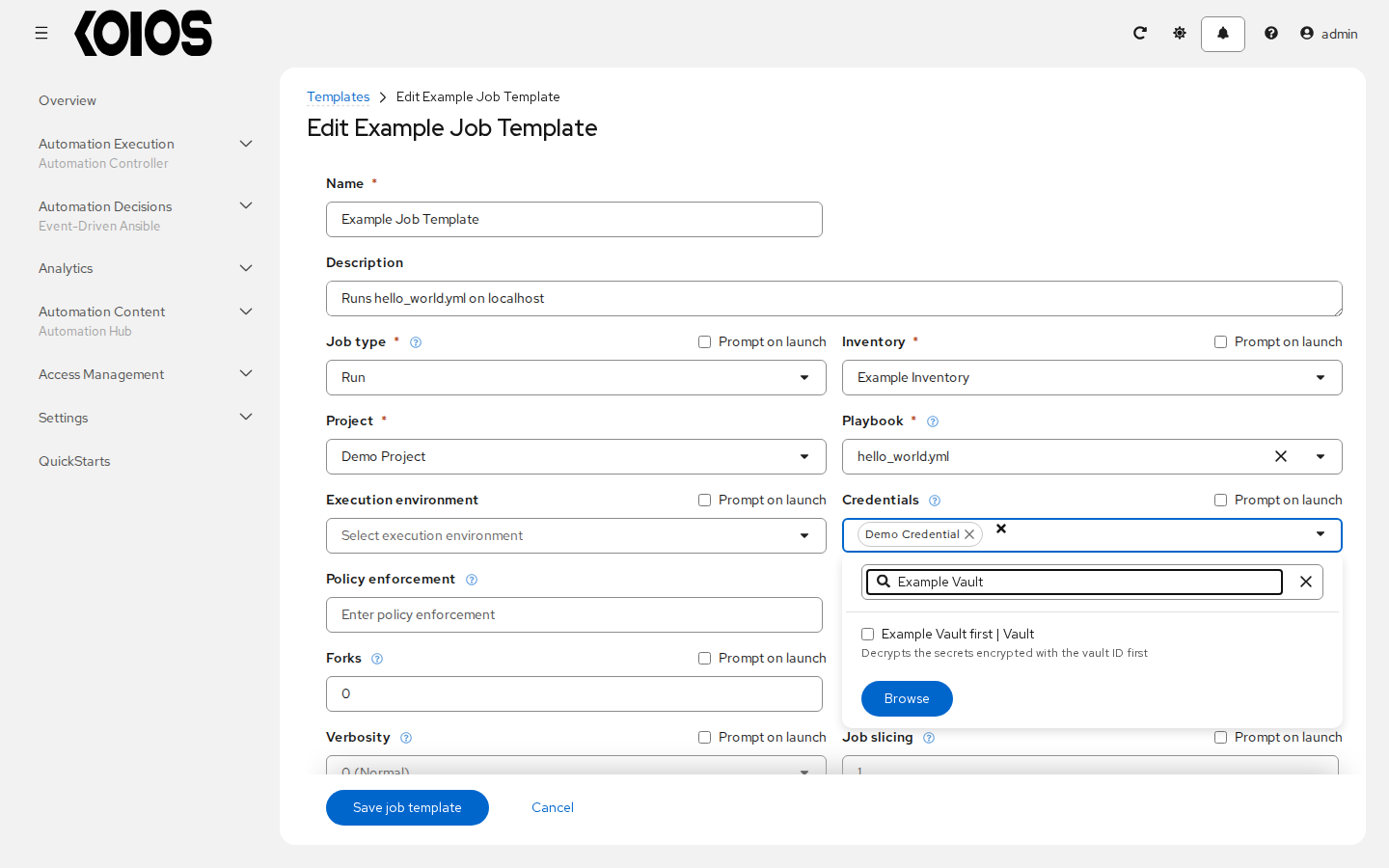
If you have a playbook that is setup the traditional way with all the secrets in one big file without distinction, then leave the Vault Identifier field blank when setting up the Vault credential.
5.3.1. Prompted Vault Credentials
Passwords for Vault credentials that are marked with “Prompt on launch”, the launch endpoint of any related Job Templates will communicate necessary Vault passwords via the passwords_needed_to_start key:
GET /api/controller/v2/job_templates/N/launch/
{
    "passwords_needed_to_start": [
        "vault_password.X",
        "vault_password.Y"
    ]
}
X and Y in the above example are the Vault Identifiers of the associated Vault credentials (for example vault_password.first); a Vault credential without identifier appears as vault_password.
POST /api/controller/v2/job_templates/N/launch/
{
    "credential_passwords": {
        "vault_password.X": "first-vault-password",
        "vault_password.Y": "second-vault-password"
    }
}
5.3.2. Linked credentials
Credential input fields can be linked to external secret management systems. See Secret Management System for the supported lookup types and the procedure to configure, test and link an external source.